
On today’s post, I will share how to Authenticate to VCF Automation 9 API without having to rely on a GUI generated API token.
The implementation of this API token is one of the changes that happened with the change from Aria Automation 8.18 (from now, vRA 8) to VCF Automation 9 (from now, VCFA 9), and it is in line with how authentication is handled in Cloud Director.
The problem
In vRA 8, you generated a refresh token with your username and password, and then you generate an access token from that refresh token.
The important part is that you could start with username and password, and finish up that workflow fully authenticated to vRA 8 – It was very straightforward
Example (Powershell)
$vrausername = $login.vrauser #vRA USERNAME$vrapassword = $login.vrapassword #vRA PASSWORD# Intialize Credentials and Header for vRA$vraheaders = @{'Content-Type'='application/json'}$refreshToken = restCall -url "$vraurl/csp/gateway/am/api/login?access_token" -headers $vraheaders -method 'POST' (@{'username'=$vrausername;'password'=$vrapassword} | ConvertTo-Json)$accessToken = restCall -url "$vraurl/iaas/api/login" -headers $vraheaders -method 'POST' -body (@{'refreshToken'=$refreshToken.refresh_token} | ConvertTo-Json)$vraheaders = @{'Authorization'='Bearer ' + $accessToken.token;'Content-Type'='application/json'}
However, in VCFA 9, the solution is not so straightforward, at least at a first glance
Enter VCF SSO (vIDB)
VCF 9 allows you to have a single identity solution across all the VCF Stack (and this includes the fleet components)
This was not the case entirely in VCF 5.x – “vRealize Suite” components could use Identity Manager, and so could NSX, but it was not the case for vCenter (and we also had things that are now deprecated such as ELM that prevented this from happening
In VCFA 9, you can configure SSO for each tenant by using OIDC – and this is the preferred and recommended authentication method so that you can centralize all authentication in vIDB (VCF SSO)
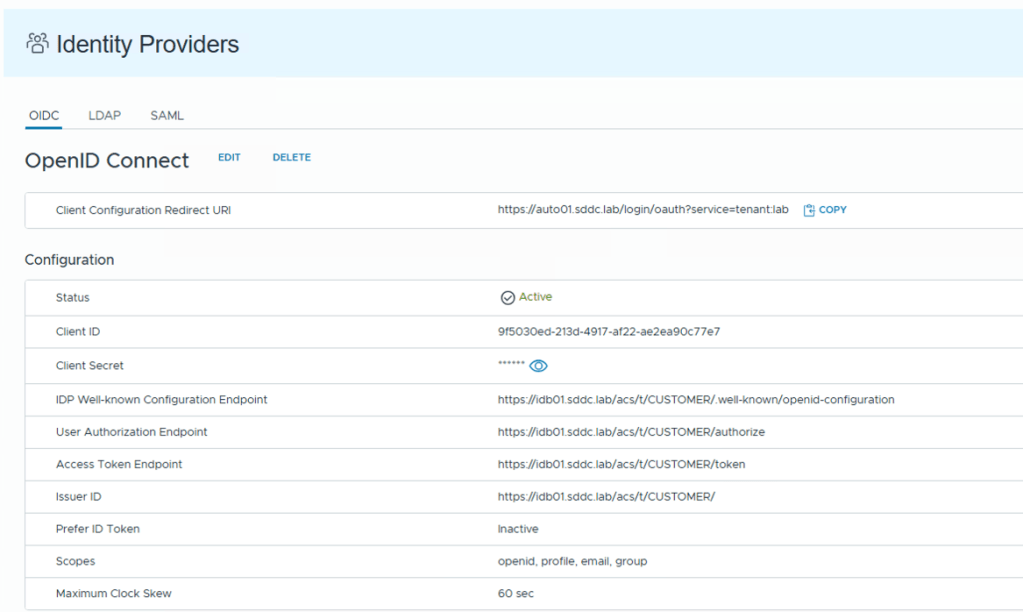
However, the VCF SSO integration does not allow you to start an authentication workflow with username and password and finish the workflow with an API token like we could do in vRA 8…
The process requires to have created an API token through the GUI first.
So for example, for service accounts, you need to log on via GUI (with username and password) to then create that API token, and then persist / save that API token somewhere, which is only used by that service account.
You see where I’m going with this…
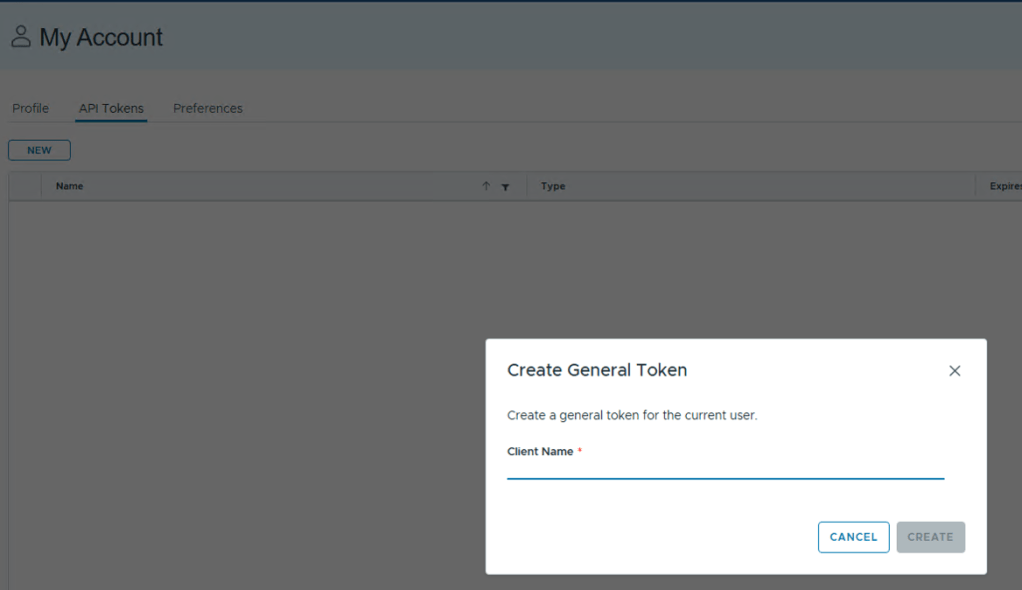
If you manage multiple VCFA instances in the same domain (think of an environment with multiple VCF Fleets) you can see where this can become problematic.
Keeping track of multiple tokens for the each user, and map those to every VCFA instance is not ideal.
The Solution!
Unfortunately, the solution is not as pretty as it sounds, because it means we cannot leverage VCF SSO for the service accounts that we want to authenticate with using username and password.
Thankfully, VCFA also supports LDAP!
So we can configure, in the same tenant, an LDAP configuration (pointing to the same LDAP/AD that the VCF SSO connection is using, giving us access to the same users and groups)
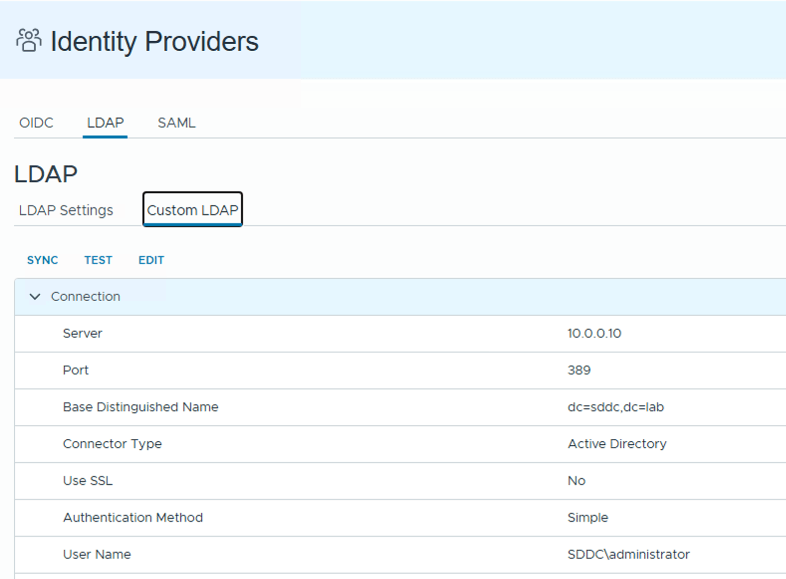
Question is: If we are using the same domain, why does LDAP work and VCF SSO (OIDC) doesn’t?
The problem relies in the API used to generate the token…
The API call is a POST to “https://VCFA_URL/cloudapi/1.0.0/sessions” and it takes a base64 encoded username and password pair.
However, the user in the header needs to be in the format of “username@domain:password” – with the caveat that the domain here is not your AD domain, it is the tenant! – in this case, my VM Apps tenant is called “lab” .
Here is the key difference between how VCF SSO and LDAP work. The users collected via VCF SSO have the full name, while LDAP only collects the shortname of the user.
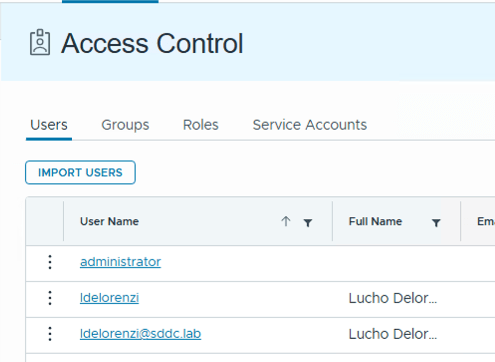
Since you cannot do “ldelorenzi@sddc.lab@lab“, you’re forced to use LDAP
How does this look in code?
$domain = "lab"$userpass = $vrausername + "@" + $domain + ":" + $vrapassword$bytes= [System.Text.Encoding]::UTF8.GetBytes($userpass)$encodedlogin=[Convert]::ToBase64String($bytes)$authvraheader = "Basic " + $encodedlogin$vraheader = New-Object "System.Collections.Generic.Dictionary[[String],[String]]"$vraheader.Add("Authorization",$authvraheader)$vraheader.Add("Accept","application/json;version=9.0.0") $uri = "$vraurl/cloudapi/1.0.0/sessions"$session = invoke-webrequest -uri $uri -headers $vraheader -method 'POST' -SkipCertificateCheck$accessToken = $session.headers."x-vmware-vcloud-access-token" $vraheaders = @{'Authorization'='Bearer ' + $accessToken;'Content-Type'='application/json'}
Conclusion
While we cannot get around of the GUI generated API token for VCF SSO integration, the fact that we can circumvent this limitation by using LDAP makes this a viable approach for authenticating to VCFA 9 via API.
You can continue to use all your custom front-ends, scripts, workflows, in a very similar way to what you used in the past, which is a good thing. No need to reinvent the wheel!
Hope you found this useful! See you in the comments!
 Lucho's Blog!